How to add UniEdu Buzzword to existing UCAS application
Understanding and Using the UCAS Buzzword: A Guide for Undergraduate Applicants
If you have decided to apply for undergraduate studies in the UK you will, in most cases, submit your application through UCAS - the central application hub for UK universities. One term you'll soon meet is the "UCAS buzzword".
What's the UCAS Buzzword?
The UCAS buzzword is a unique identifier that connects your application to a specific school or application support organisation, such as UniEdu, simplifying your UK university application process.
Why it Matters:
1. Connection: Apply with the help of a specific application support institution. The buzzword links your application to them.
2. Guidance: This link allows your application advisors to monitor, assist, and provide references for your application.
3. Unlimited support: Linking your application to UniEdu’s registered UCAS centre enables you to access all pre and post-application support services for free.
Adding the UCAS Buzzword to your UCAS Application
If you haven't yet registered your UCAS account, you can use our step-by-step guide on how to register with UCAS including our current buzzword. The guide is available here.
If you have registered your UCAS account but didn't add UniEdu’s buzzword
No problem, the buzzword can be added to your UCAS application at any time before you send your application to the British universities. So, if you have already registered with UCAS but didn't use buzzword in the registration process - it's still possible to add it and take advantage of our full, free application support (it’s paid by British Universities, so you don’t have to!).
Below, we explain how to add a UniEdu Buzzword to your UCAS Application in a few specific scenarios. Let's dive in!
First, log-in to your UCAS account and proceed to your application

Am I registered as an individual?
If you are not sure, you can tell by checking the reference section in your UCAS application - as an individual applicant (without the buzzword) you will have a ‘Reference letter’ section available in a tile close to the Personal Statement. If you don’t have a reference letter section, you have probably already linked your application to another school or organisation. If so, please refer to the last section of this article.
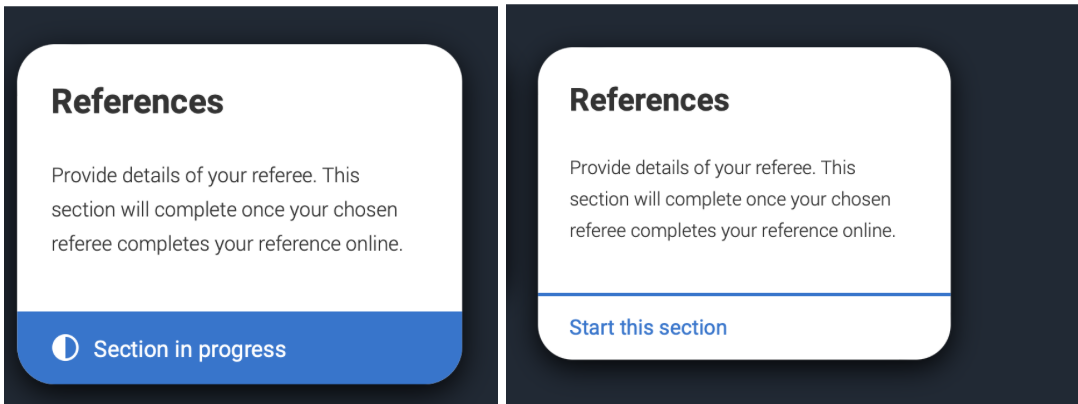
I have registered as individual
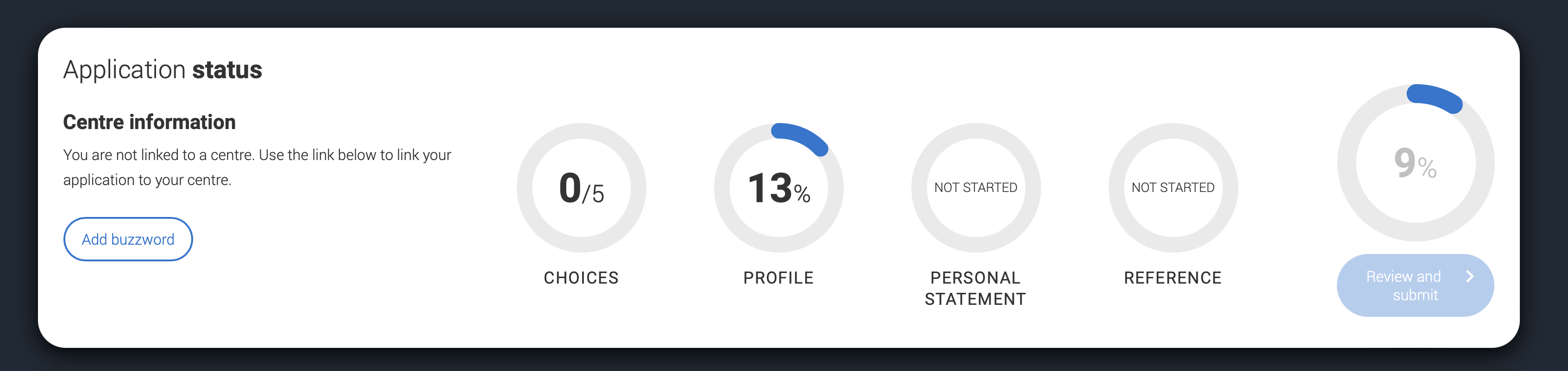
If you have already registered with UCAS as an individual applicant but want to add our buzzword, firs proceed to your application. On the top of your application, close to the application status, you should have a “Centre information” section. If you haven’t added any buzzword before - simply click “Add buzzword” button
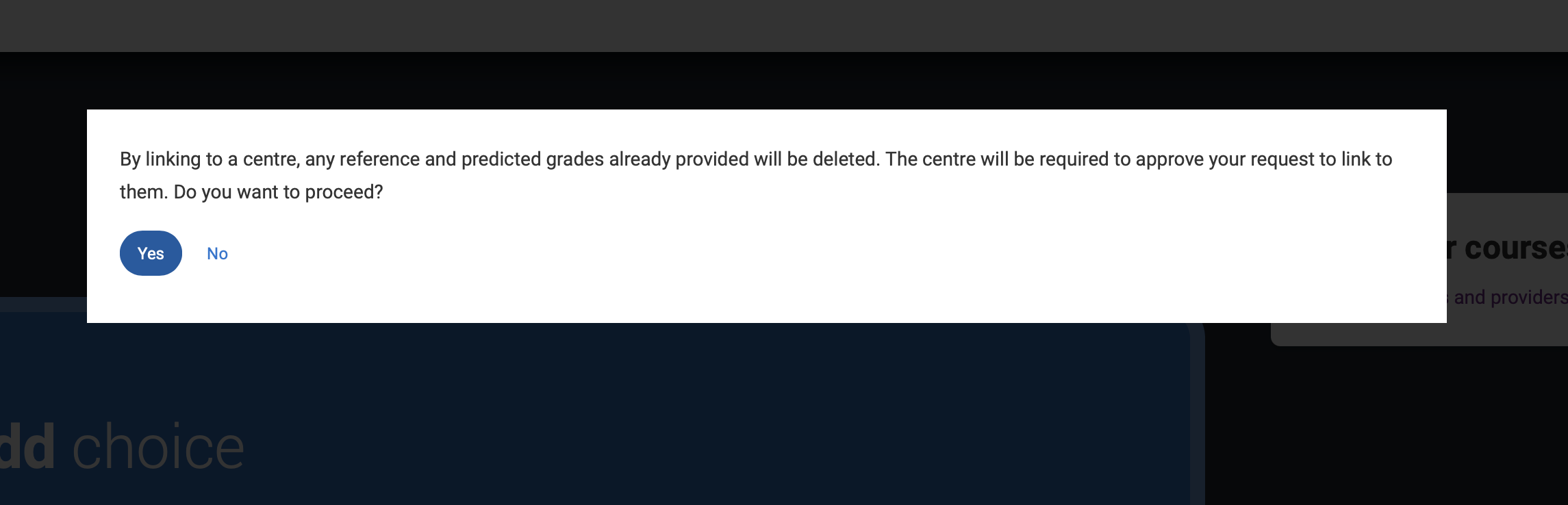
Then, you will be asked to confirm that you’re aware that the reference letter and predicted grades (if any) already added to your application will be removed (don’t worry, we’ll add them again later).
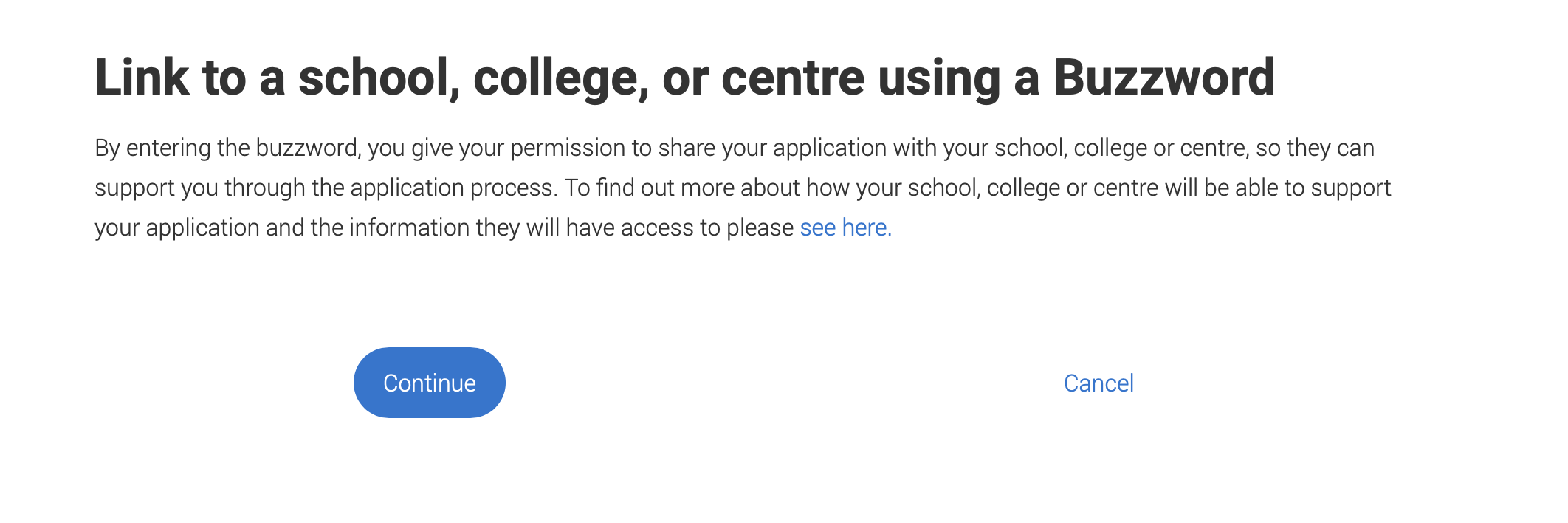
In the next step, click on ‘Continue’, as shown below.
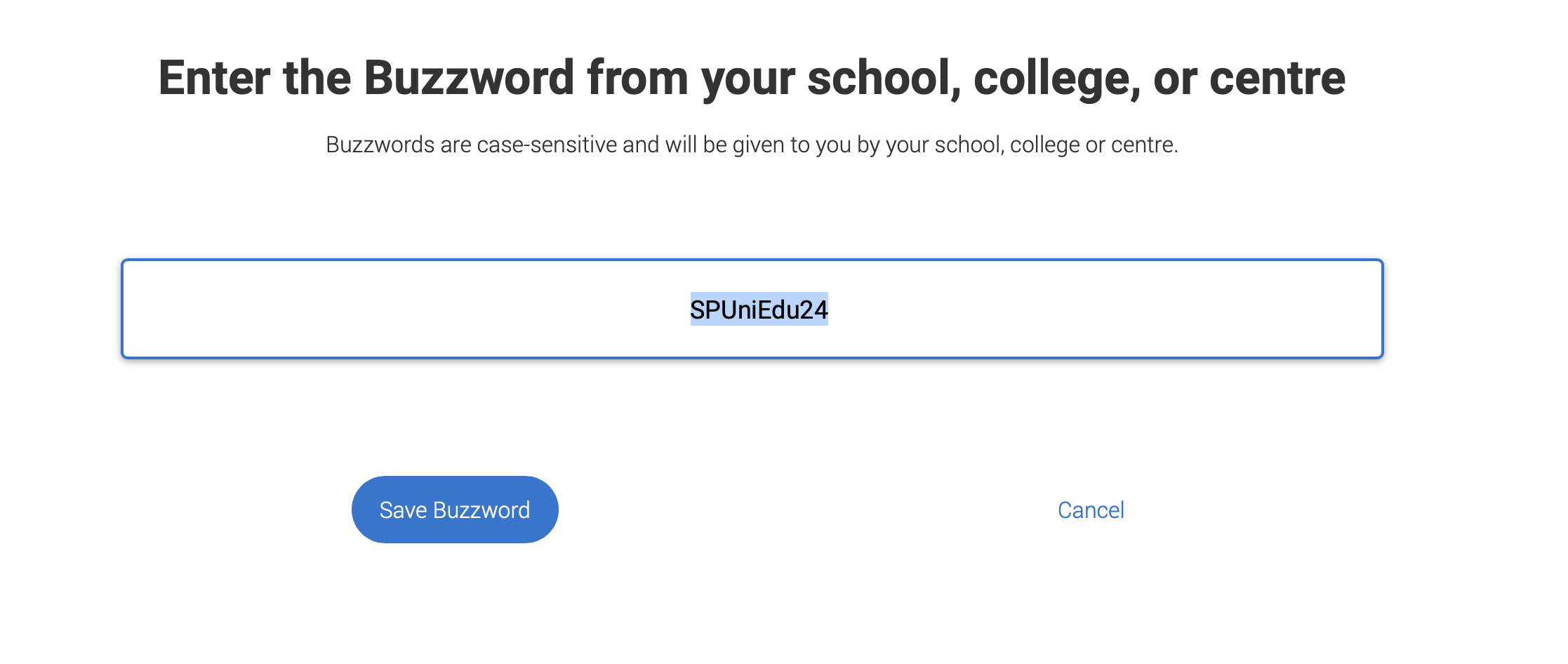
Then, simply enter the buzzword (our current buzzword is always available on this page: https://uniedu.uk/ucas) - the example shows our buzzword for UCAS 2024 intake.
In the final step you will see our details, which are as below. If it’s correct - confirm the choice and from now on, your application will be connected to UniEdu.
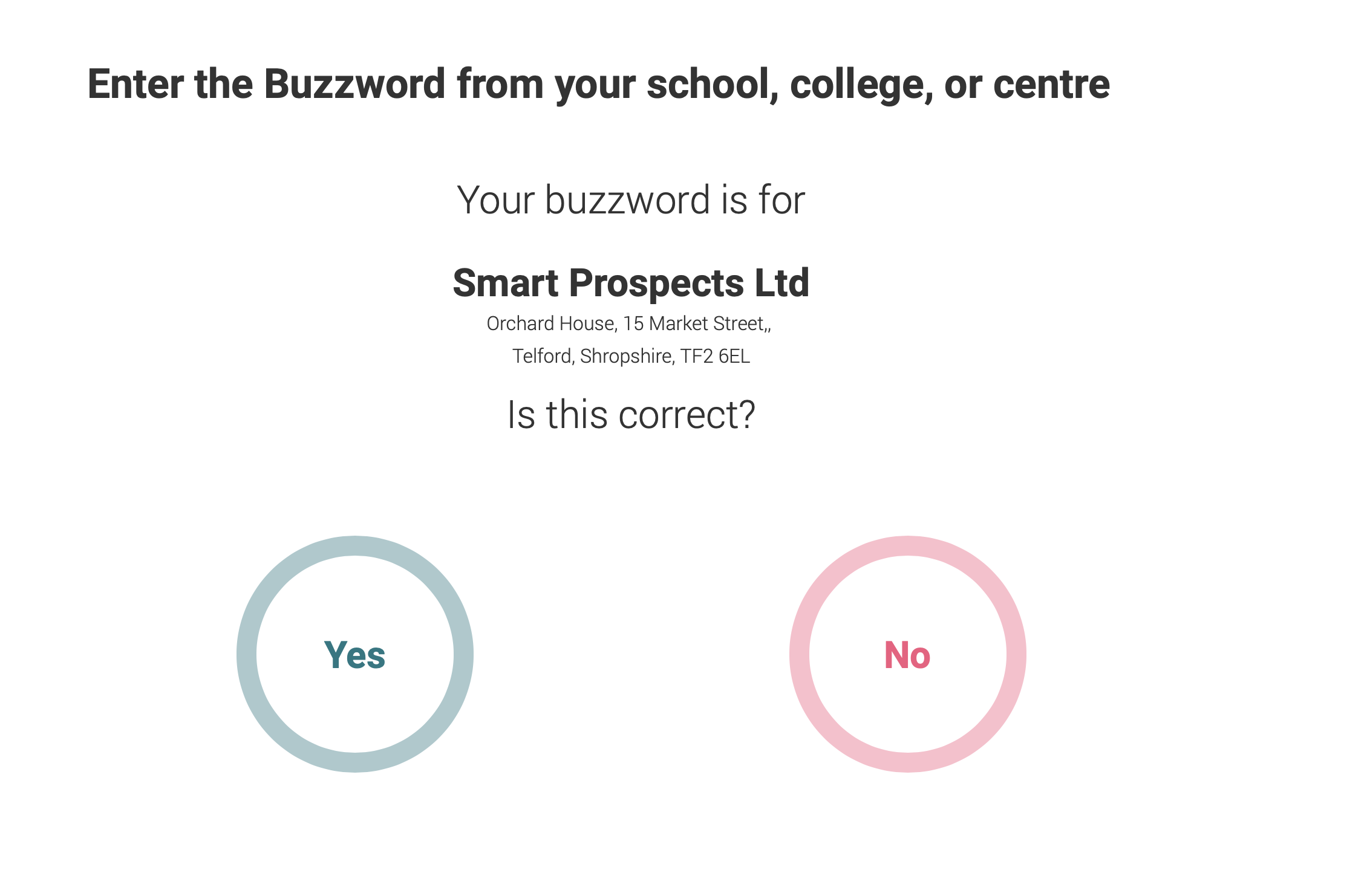
Confirm by clicking ‘Yes’ and you will be linked to our organisation. Your application will be connected to our registered UCAS centre and from now on we will support your application every step of the way.
I have registered as individual AND filled referee details
UCAS is designed to delegate uploading reference letters to schools and organisations in case of non-individual applicants. By linking to our centre, any reference and predicted grades already provided will be deleted (but will be added again, so nothing lost!). You will be able to re-send the reference letter request in the Reference Letter section in your UniEdu account here.
I have registered as individual AND got my reference letter already in my UCAS application
Since adding buzzword will remove already provided reference letter with predicted grades from your UCAS application, please make sure you have a copy of your reference letter from your referee, or contact your referee before adding buzzword if they will be able to re-add the reference letter. When you add UniEdu buzzword to your application, you will be able to send the reference letter request to your referee in your UniEdu account here.
I have registered with another school/organisation
In this case, the fastest and best way is to contact us directly, we will guide you through removing buzzword from your application to link your UCAS application to UniEdu.